
War Rooms
Keep everyone who isn't fixing it informed.
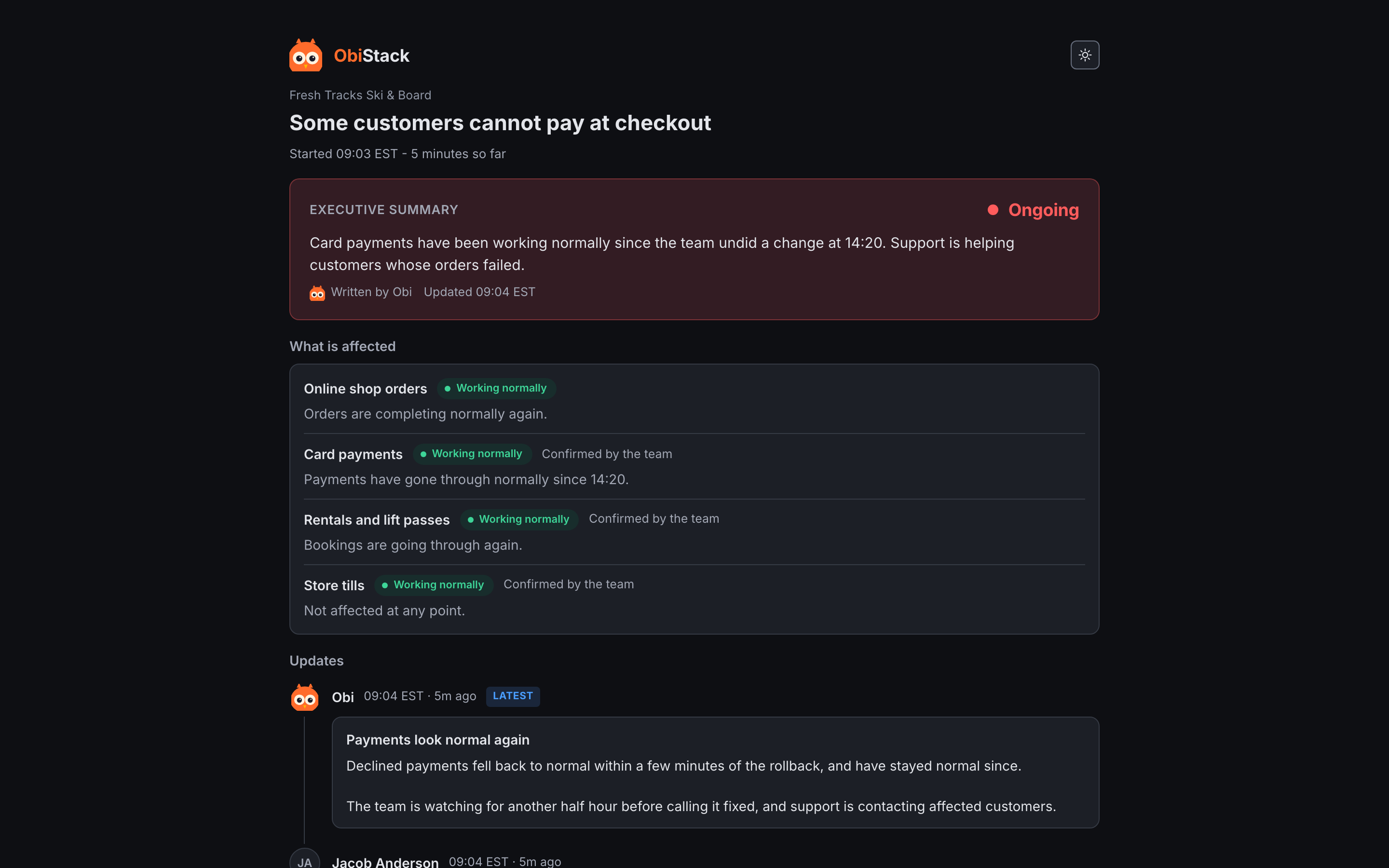
During an incident, the people fixing it are not the only ones who need to know. The CEO wants to know if customers can pay, support needs something to tell callers, and an account manager is about to ring the customer. A war room is one page for all of them: what is happening and what is affected, in plain words, kept up to date while your engineers work. Share it by link, protect it with a password, or keep it to your workspace.
What it does
Plain words, not logs
An executive summary, what is affected, and a running thread of updates. No service names, status codes or stack traces reach the page.
Obi writes the updates
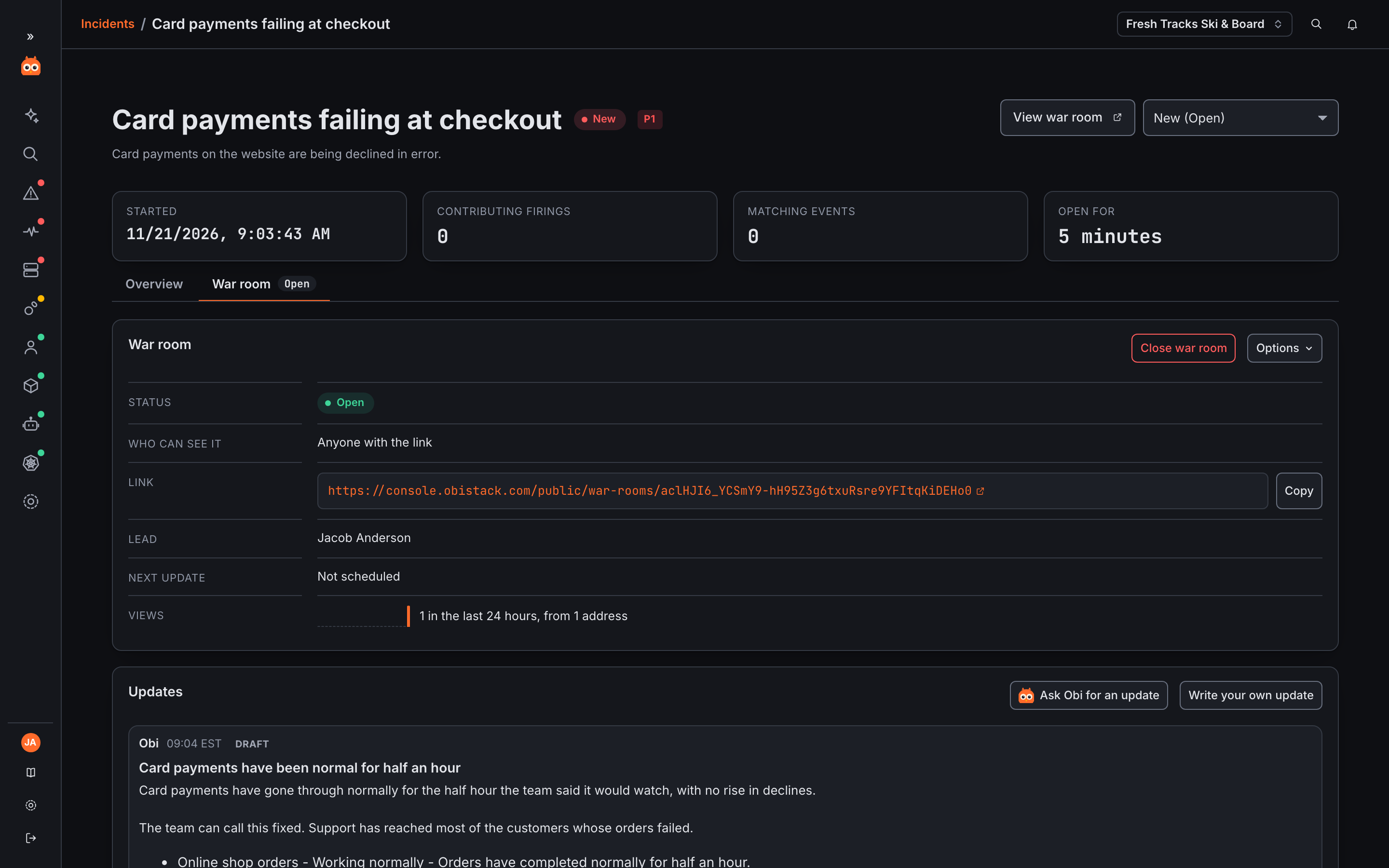
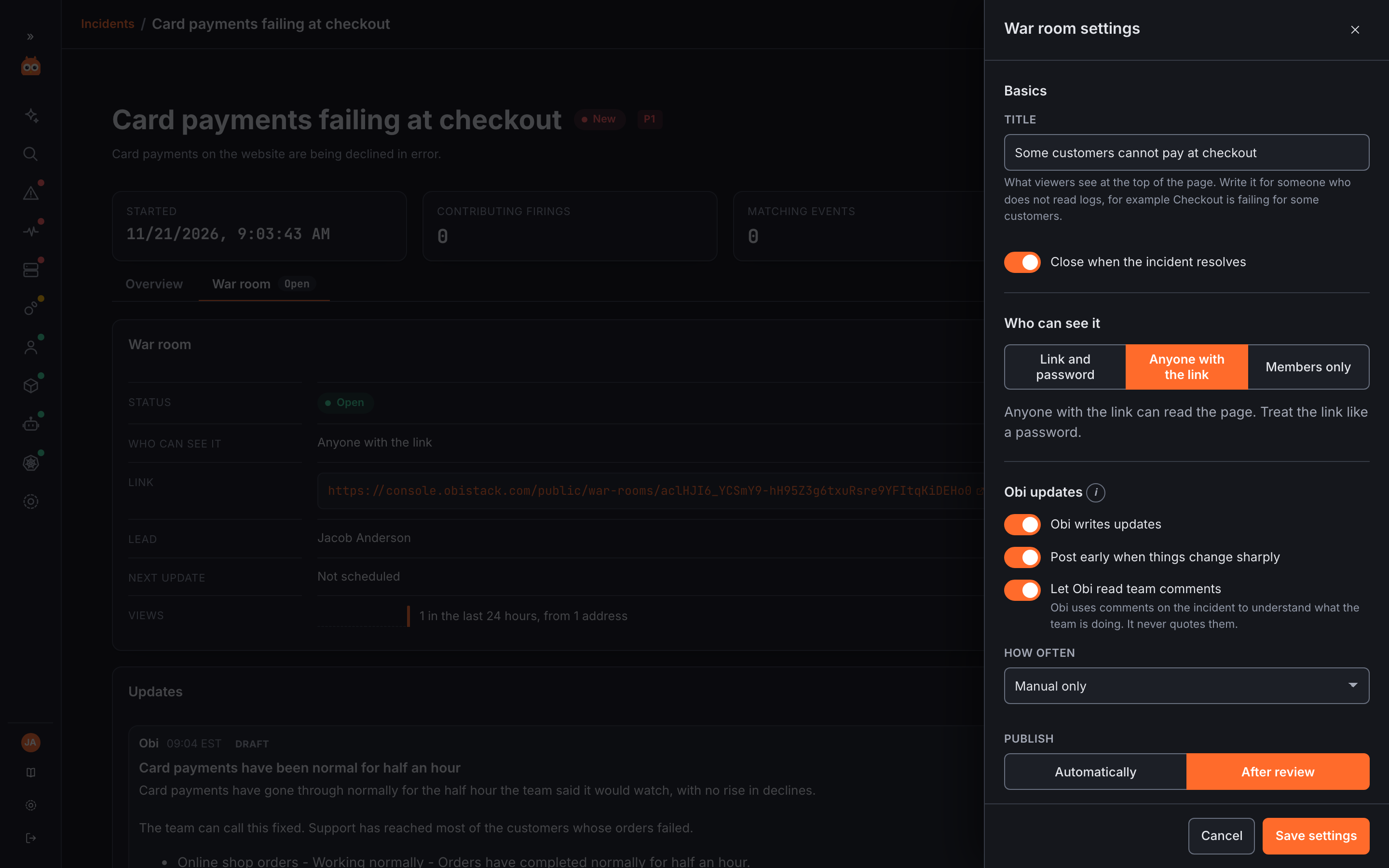
With the Obi AI Assistant add-on, Obi reads the incident and writes an update on the schedule you pick, and sooner when things change sharply. Publish automatically, or review each one first.
Your team has the last word
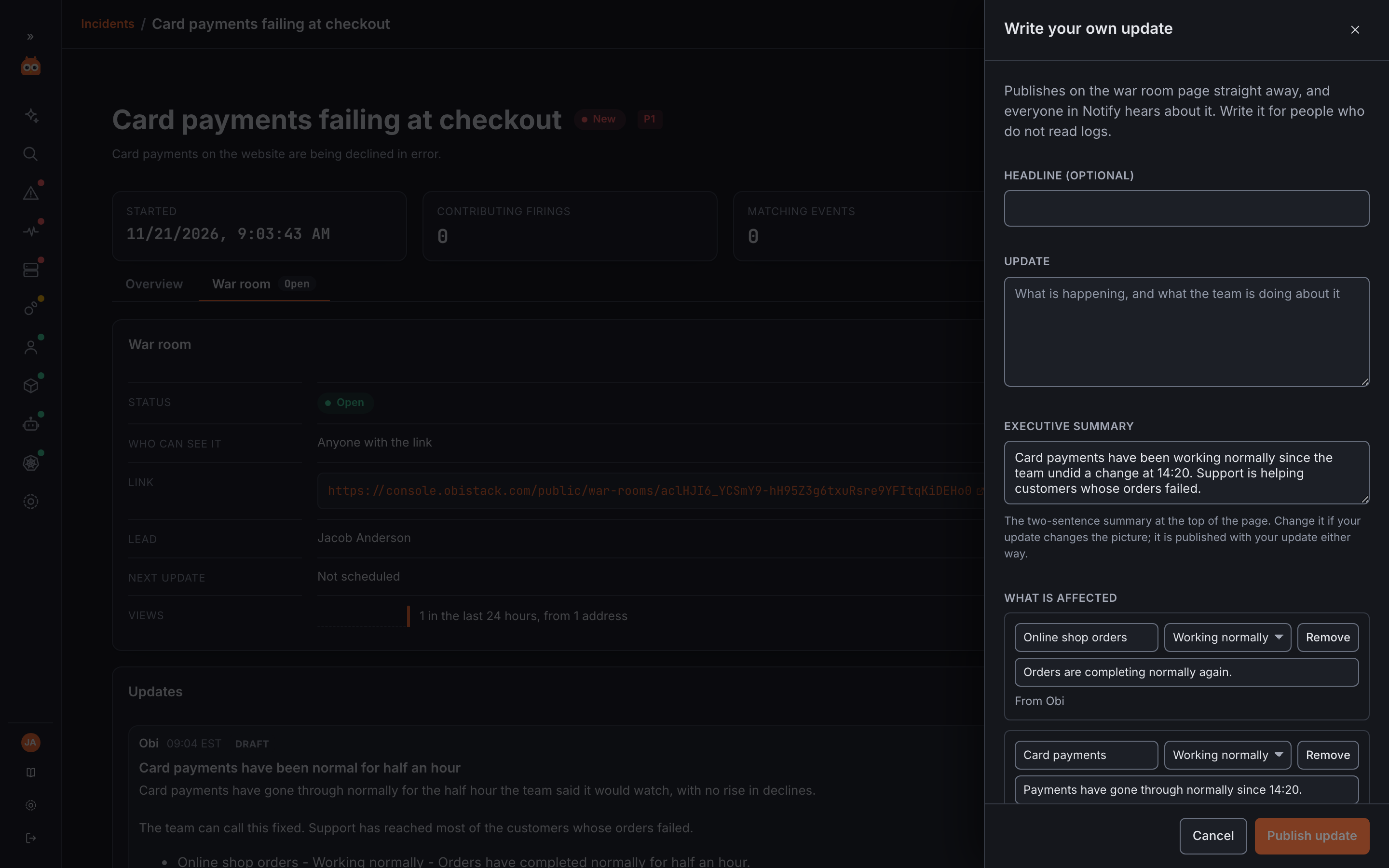
Anyone on the team can post an update, rewrite the summary, or confirm what is really affected. A confirmed area shows as Confirmed, and Obi keeps it as the team left it.
Share it your way
Anyone with the link, the link and a password, or workspace members only. Members open the same link without the password.
One incidents page
Publish a page listing every open war room shared by link, at an address you choose or on your own domain, such as incidents.yourcompany.com.
Notify the people who need it
Each published update goes to email, Slack, PagerDuty, a webhook, or your notification groups. Every email carries a one-click unsubscribe.
You choose what Obi reads
Lower what Obi can read for one war room, or let it read example log lines for 24 hours with an Owner's permission. The page never shows a log line either way.
See who is following
Views over the last 24 hours on the war room itself, and every war room in the workspace on one list, open ones first.
The rest of the platform
Data Onboarding
Pick how you already send data, follow a few steps, and watch your first event land. Or write a script and we run it.
Data Onboarding in detailLog Explorer & Live Tail
Search everything you send us with ObiQL, then watch it happen live.
Log Explorer & Live Tail in detailAlerts & Incidents
Turn any saved query into an alert, and every alert into an incident with a history.
Alerts & Incidents in detailDashboards
Grid dashboards as code, a freeform canvas, and a public link when you want one.
Dashboards in detailApplication Observability
The other two signals, correlated with the logs they came from.
Application Observability in detailHosts
CPU, memory, disk, and network for every server, plus hardening audits and vulnerability scans.
Hosts in detailLiveness Checks
Point a check at a URL. No key to generate, no code, no terminal command.
Liveness Checks in detailData Pipeline & Catalogue
Shape, enrich, and retain each stream on its own terms - before it costs you anything.
Data Pipeline & Catalogue in detailUser Analytics
What people do in your website and mobile apps - funnels, retention, and session replay, stored next to your logs.
User Analytics in detailCode Observability
Builds, vulnerabilities, and SBOMs from the CI you already run, tied to the code that is live.
Code Observability in detailAI Observability
Usage, cost, efficiency and quality for the language model calls and agents your own services run.
AI Observability in detailKubernetes Observability
Every cluster's nodes, workloads and pods, with their events, YAML and ready-made alerts, from one Helm command.
Kubernetes Observability in detailObi AI Assistant
Ask about your logs in plain words, see the query behind every answer, and approve every change.
Obi AI Assistant in detail