
AI Observability
Know what your LLM features use, how well they run, and whether they work.
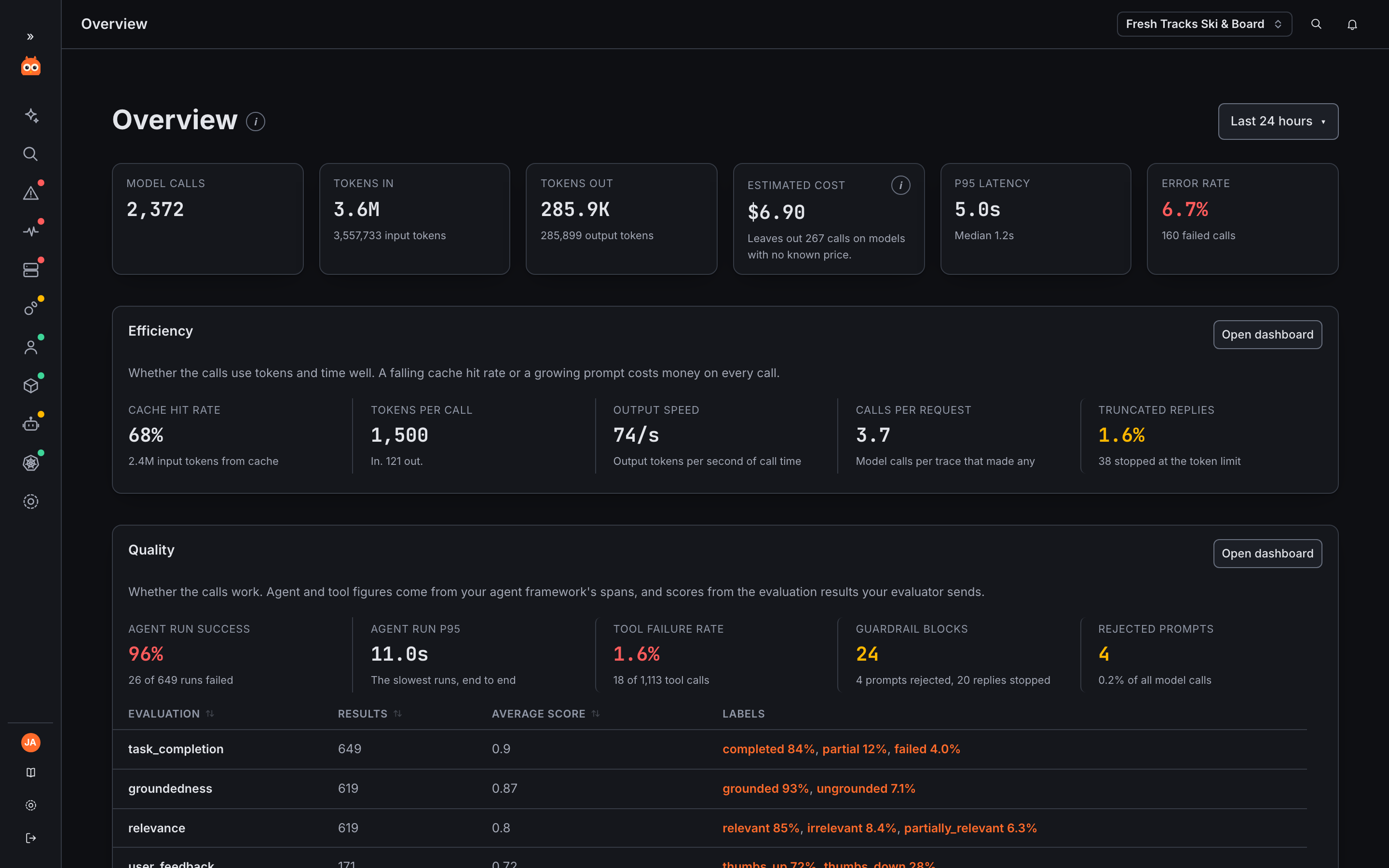
Your services already describe every model call in OpenTelemetry's GenAI conventions: the model, the tokens, the prompt cache, how long it took, how the reply ended and whether it failed, plus the agent and tool steps around it and any evaluation scores you record. AI Observability turns that into answers - what each model and service uses and costs, how efficiently the calls run, whether answers are cut off, filtered or scored poorly, and what an agent did, step by step. No second SDK, no proxy in the request path, and no second destination.
 (open larger)
 (open larger)
 (open larger)
 (open larger)
 (open larger)
 (open larger)
 (open larger)
 (open larger)
 (open larger)
What it does
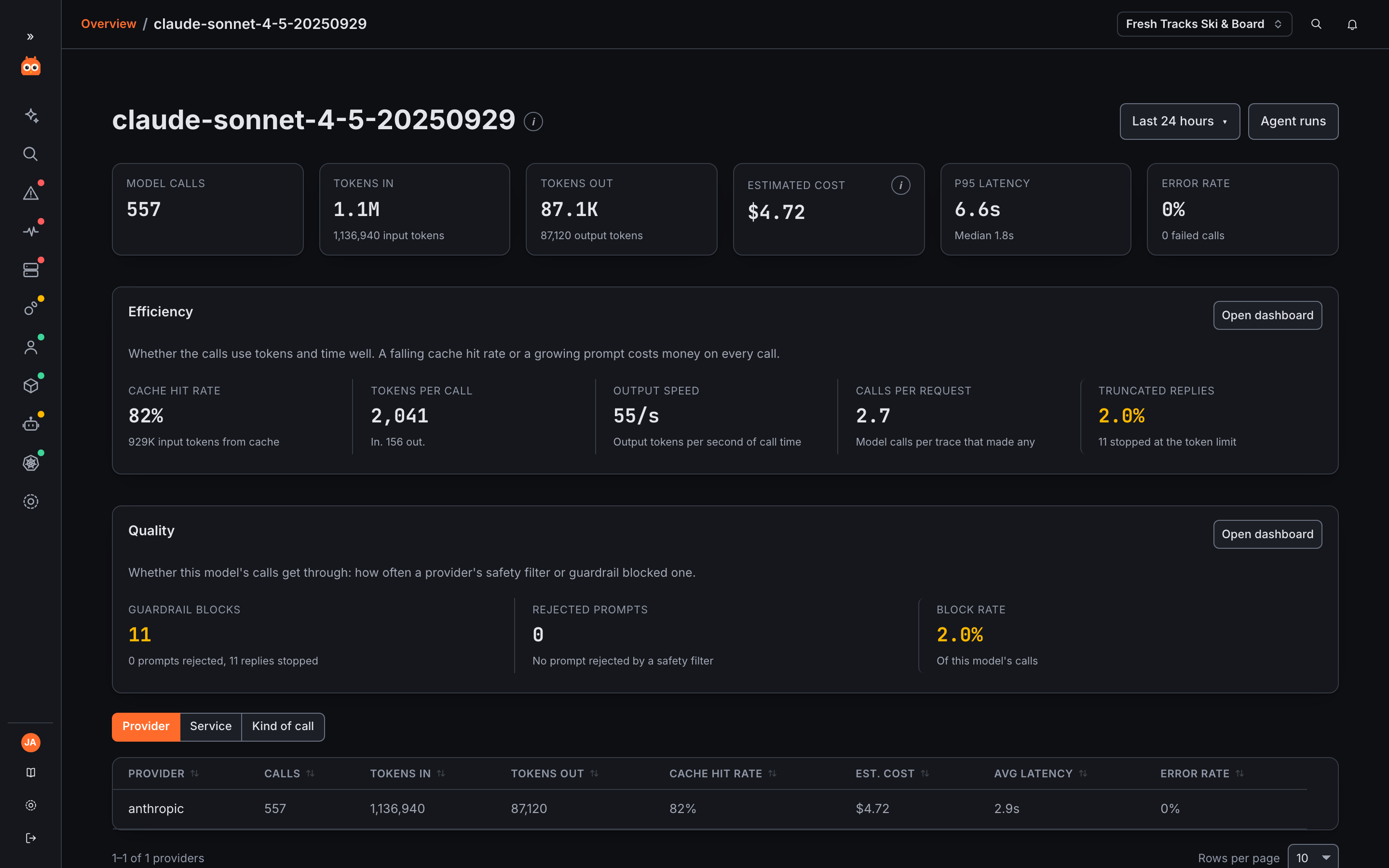
Usage and cost
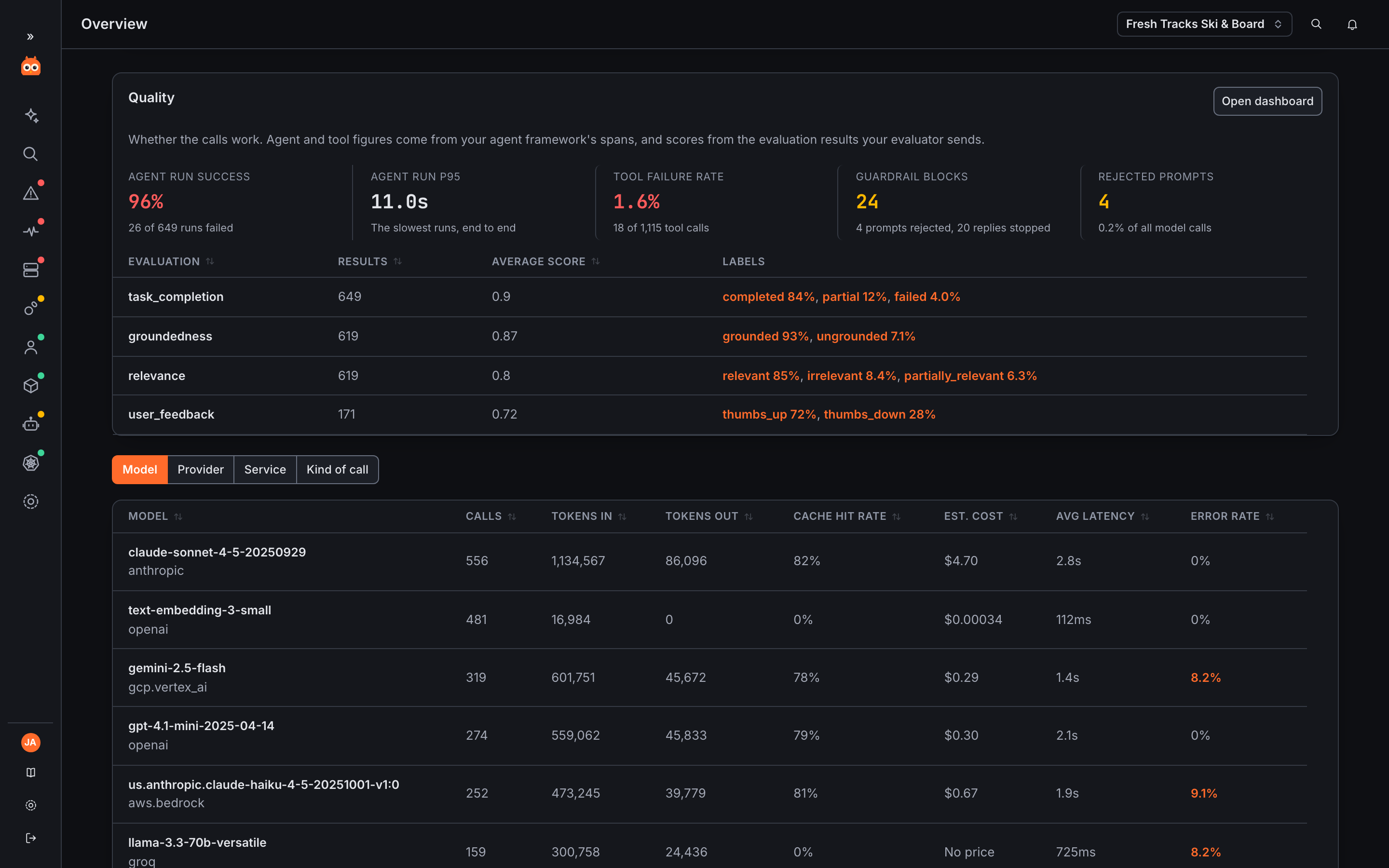
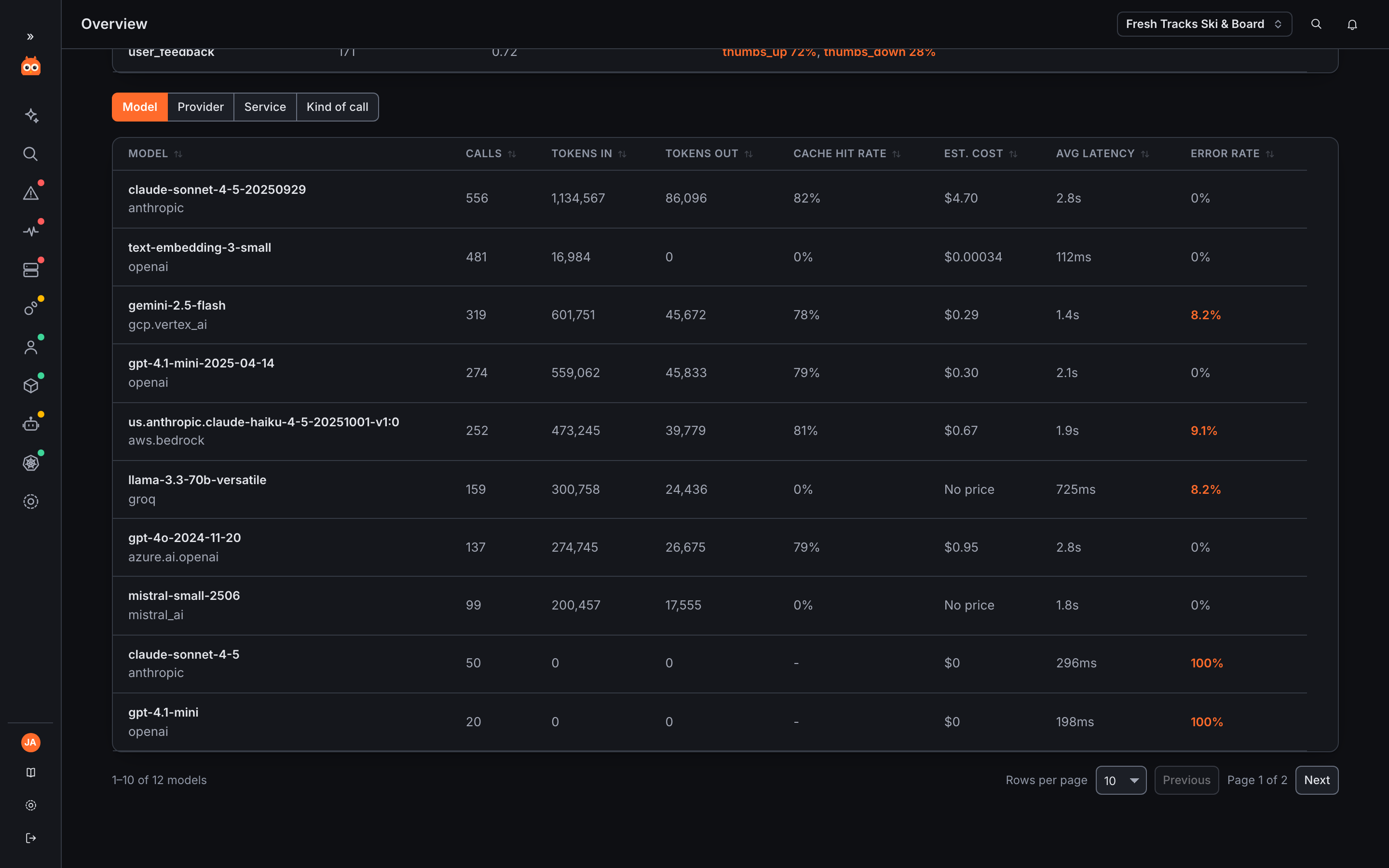
Model calls, tokens in and out, estimated cost, latency and error rate for any time range, by model, provider, service and kind of call.
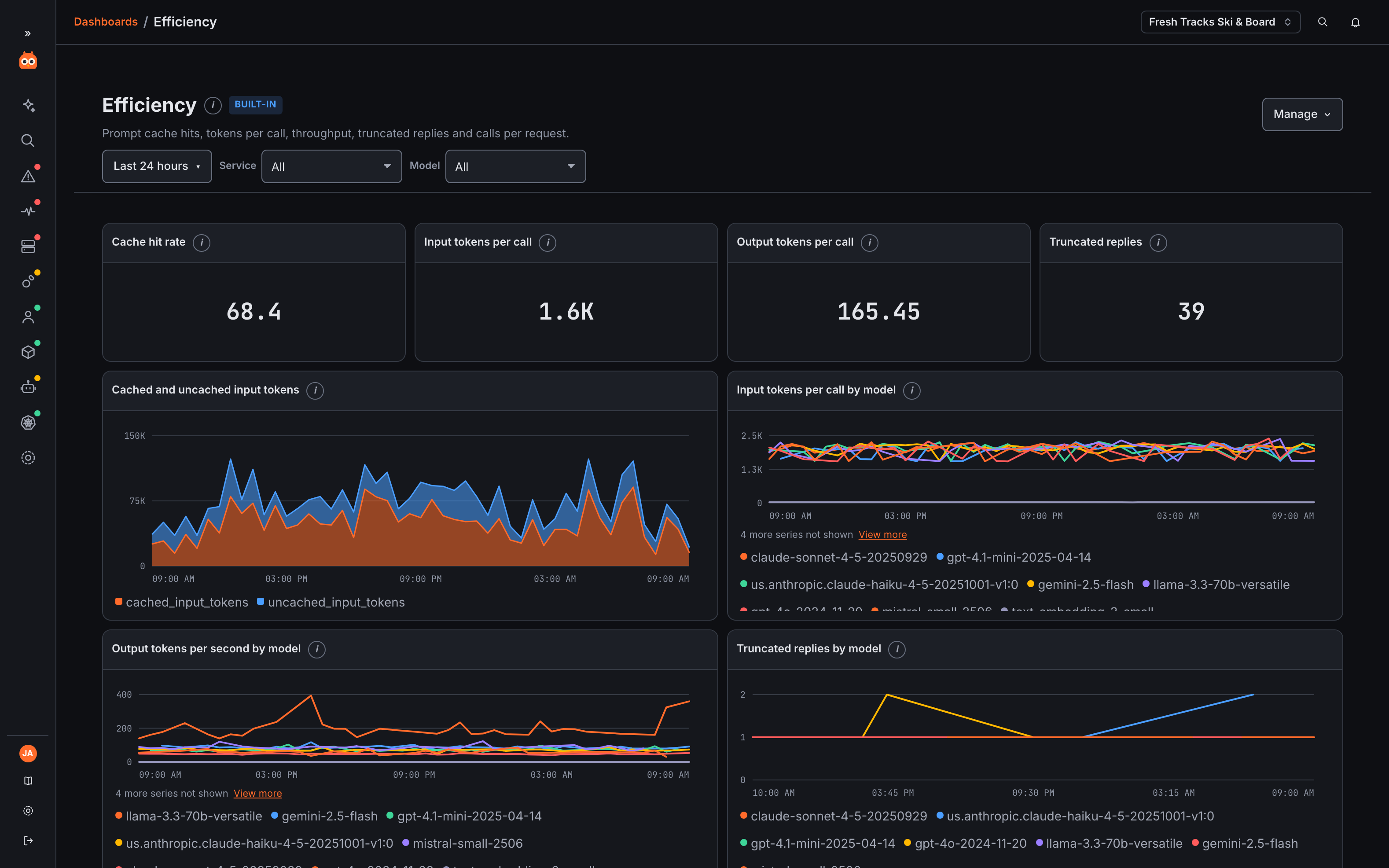
Efficiency
Prompt cache hit rate, tokens per call, output speed, model calls per request and replies cut off at the token limit, so a growing prompt or a cold cache shows up before the bill does.
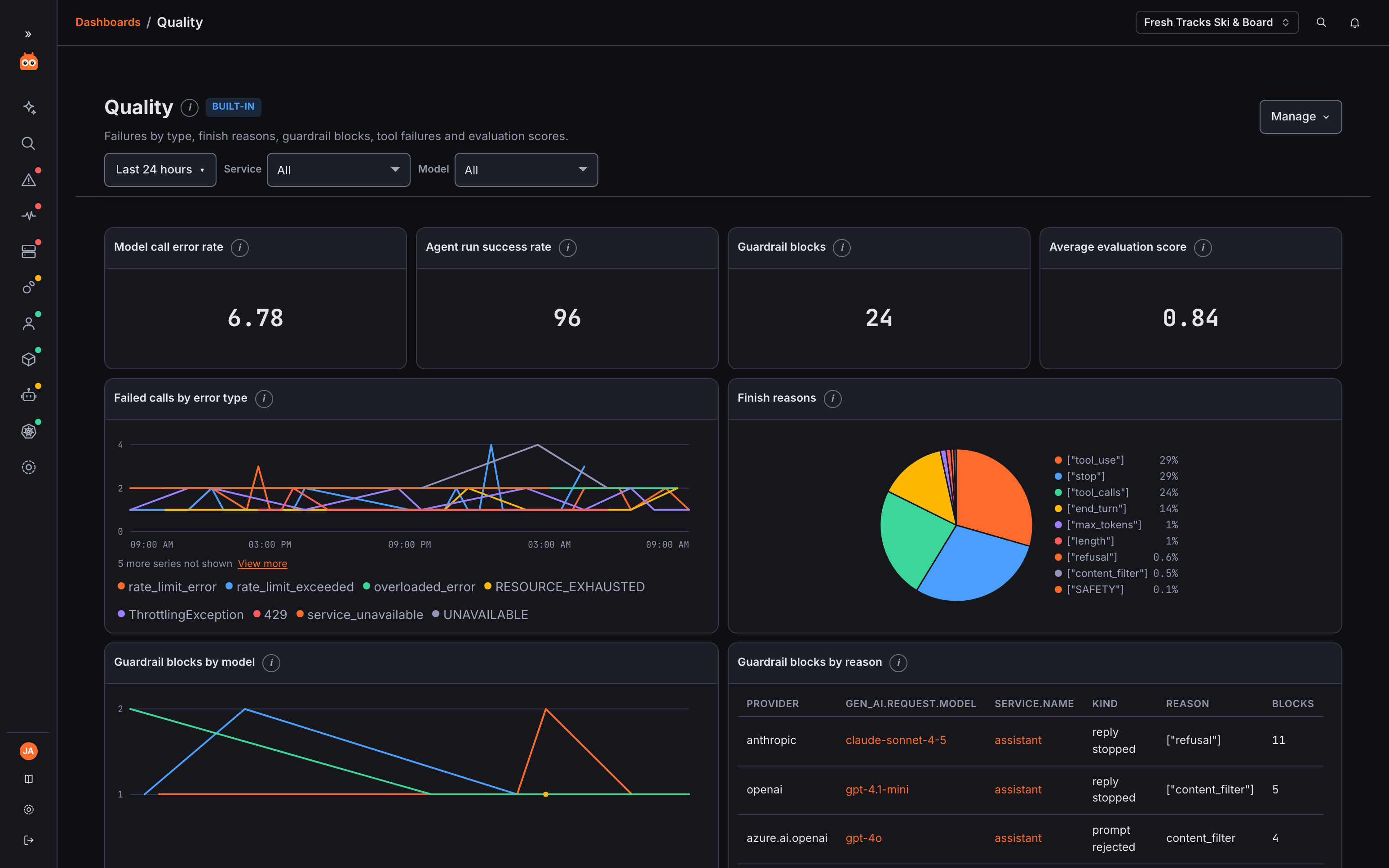
Quality
Agent run success, tool failures, guardrail blocks, failures by error type, and the evaluation scores and user feedback your evaluator sends.
Dashboards that ship with it
Usage, Efficiency, Quality, and Agents & Tools dashboards, read-only and ready to duplicate and change.
Estimated cost, labelled as one
Tokens times each model's public list price, with the date the prices were checked. Models without a known price are counted, never guessed.
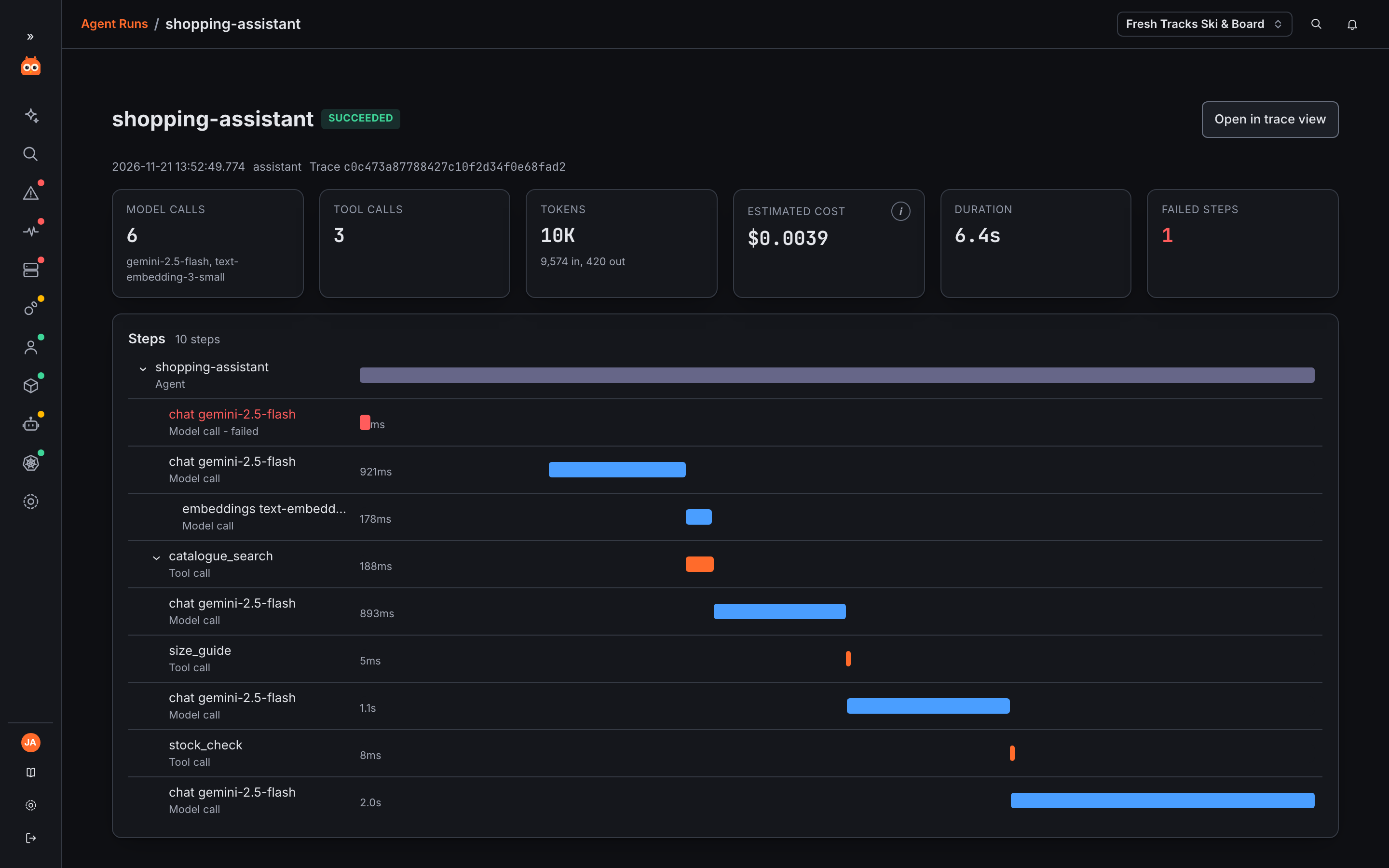
Agent runs, step by step
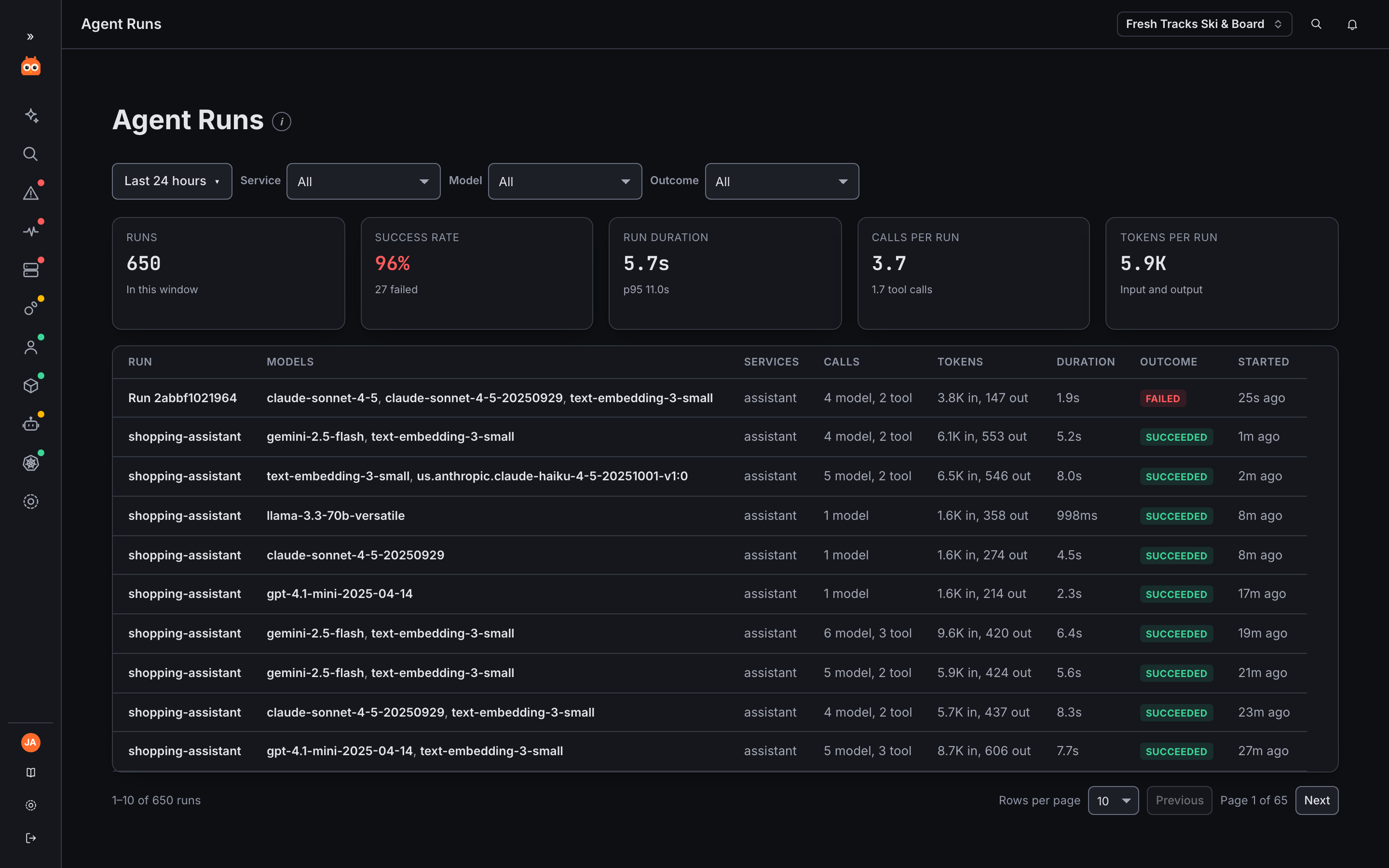
Every model call and tool call an agent made, in order, with its tokens, cost, latency and status, one click from the full trace.
Metadata by default
Nothing here needs your prompts or replies. If your instrumentation sends them, a Data Flow can drop or mask them before they are stored.
The instrumentation you already use
OpenAI, Anthropic, Bedrock, Vertex AI, LangChain and LlamaIndex instrumentation, OpenLLMetry and OpenLIT, through the same OpenTelemetry endpoint as everything else.
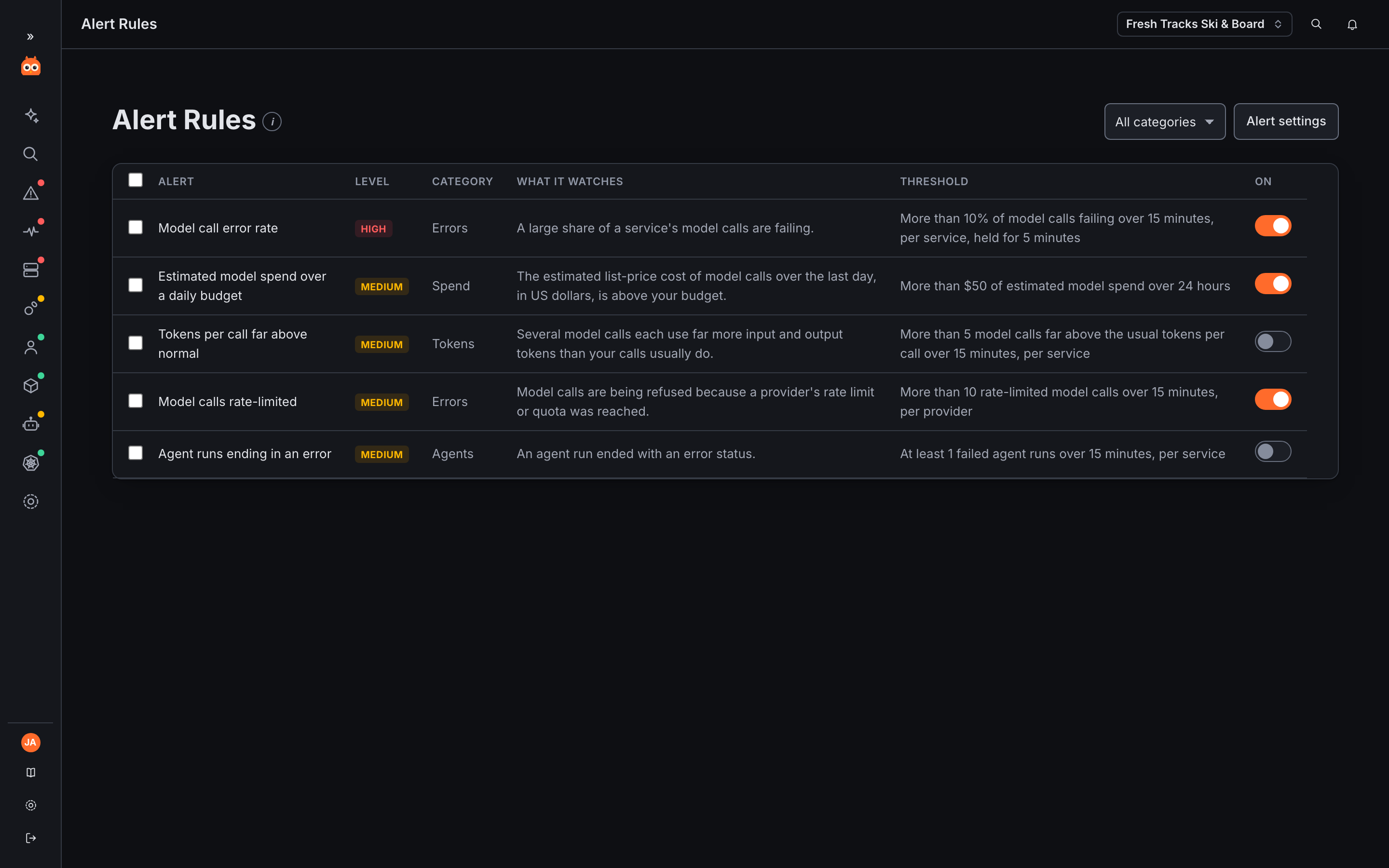
Alerts on spend, efficiency and quality
Every number is a query, so a spend spike, a falling cache hit rate, truncated replies, failing agent runs or a dropping evaluation score become ordinary alert rules.
The rest of the platform
Data Onboarding
Pick how you already send data, follow a few steps, and watch your first event land. Or write a script and we run it.
Data Onboarding in detailLog Explorer & Live Tail
Search everything you send us with ObiQL, then watch it happen live.
Log Explorer & Live Tail in detailAlerts & Incidents
Turn any saved query into an alert, and every alert into an incident with a history.
Alerts & Incidents in detailWar Rooms
A live, plain-language page about an incident for the people who do not read logs, kept up to date by Obi and your team.
War Rooms in detailDashboards
Grid dashboards as code, a freeform canvas, and a public link when you want one.
Dashboards in detailApplication Observability
The other two signals, correlated with the logs they came from.
Application Observability in detailHosts
CPU, memory, disk, and network for every server, plus hardening audits and vulnerability scans.
Hosts in detailLiveness Checks
Point a check at a URL. No key to generate, no code, no terminal command.
Liveness Checks in detailData Pipeline & Catalogue
Shape, enrich, and retain each stream on its own terms - before it costs you anything.
Data Pipeline & Catalogue in detailUser Analytics
What people do in your website and mobile apps - funnels, retention, and session replay, stored next to your logs.
User Analytics in detailCode Observability
Builds, vulnerabilities, and SBOMs from the CI you already run, tied to the code that is live.
Code Observability in detailKubernetes Observability
Every cluster's nodes, workloads and pods, with their events, YAML and ready-made alerts, from one Helm command.
Kubernetes Observability in detailObi AI Assistant
Ask about your logs in plain words, see the query behind every answer, and approve every change.
Obi AI Assistant in detail