
Obi AI Assistant
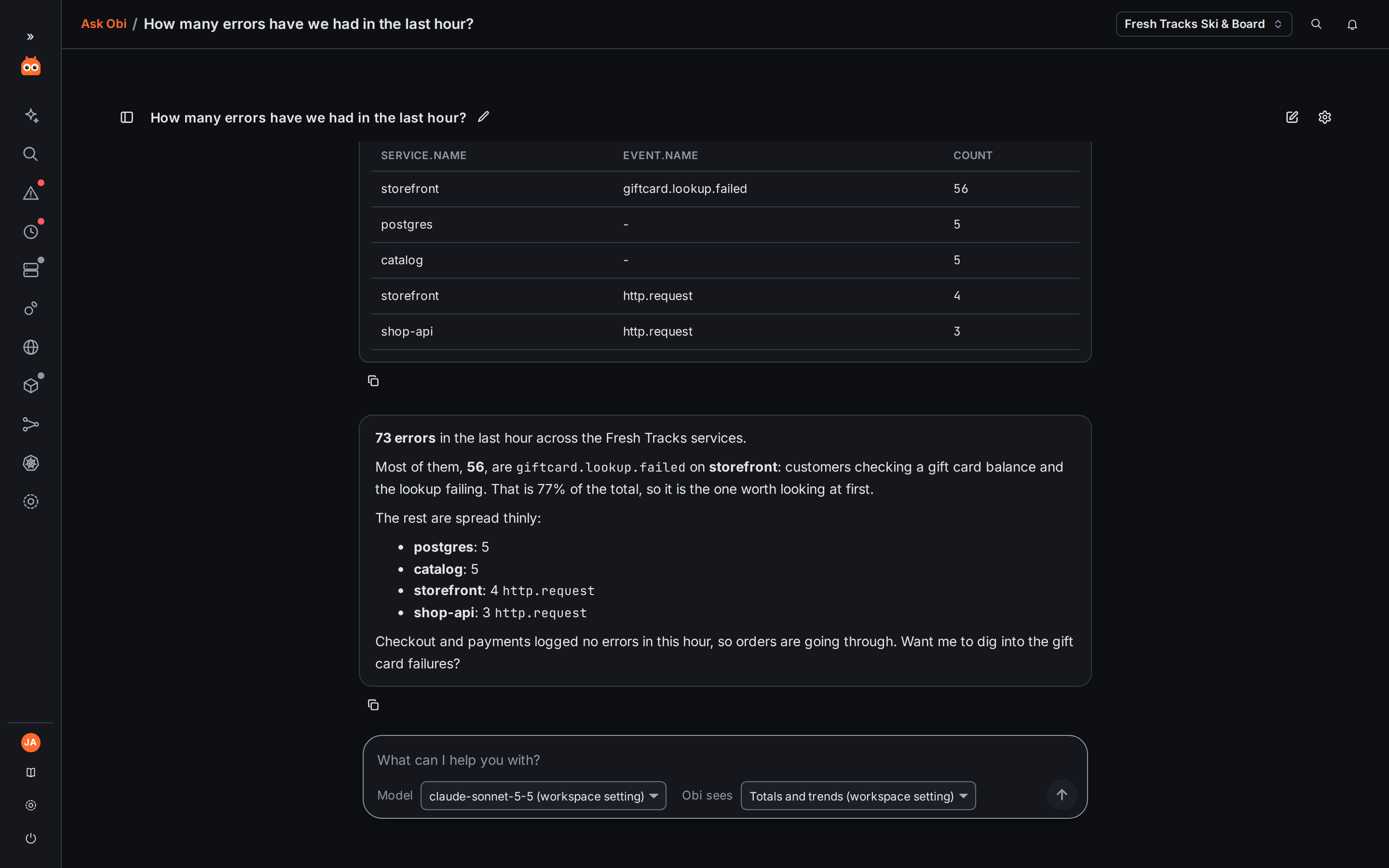
Ask your logs a question. See the query behind the answer.
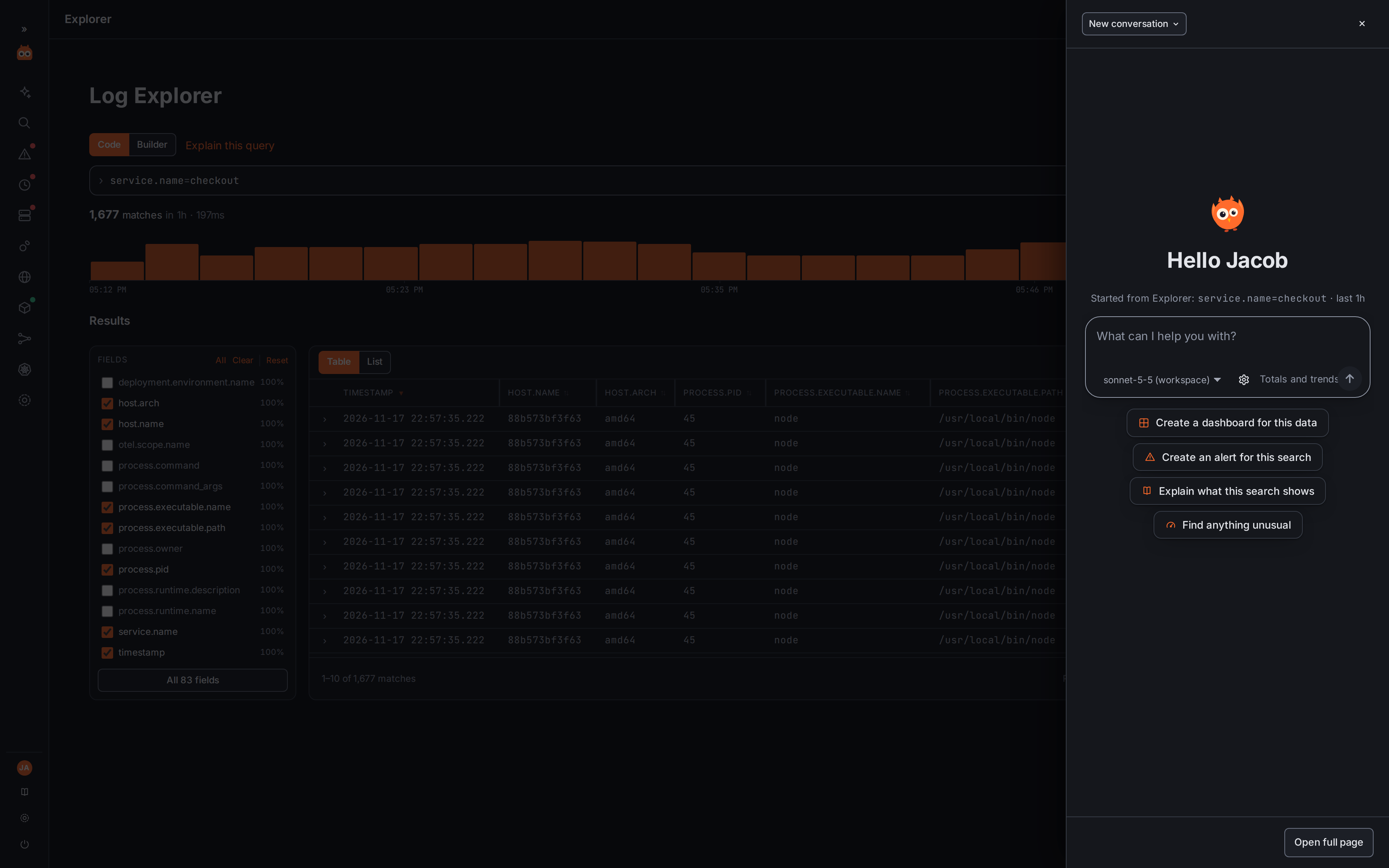
Ask Obi sits in the sidebar and answers questions about your logs, dashboards, alert rules, and saved queries, Obi agents run your own prompts on a schedule, and connections let Obi act in the tools your team already uses. Every answer that rests on data shows the query it ran, so you can check it, and every change Obi proposes waits for you to approve it. It runs on your own Anthropic or OpenAI account, and you decide how much of your data it may send there.
What it does
Ask in plain words
A chat over your workspace's logs and the dashboards, alert rules, and saved queries you have set up.
It shows its work
The query, time range, and result behind an answer appear in the conversation, one click from the same search in the Log Explorer.
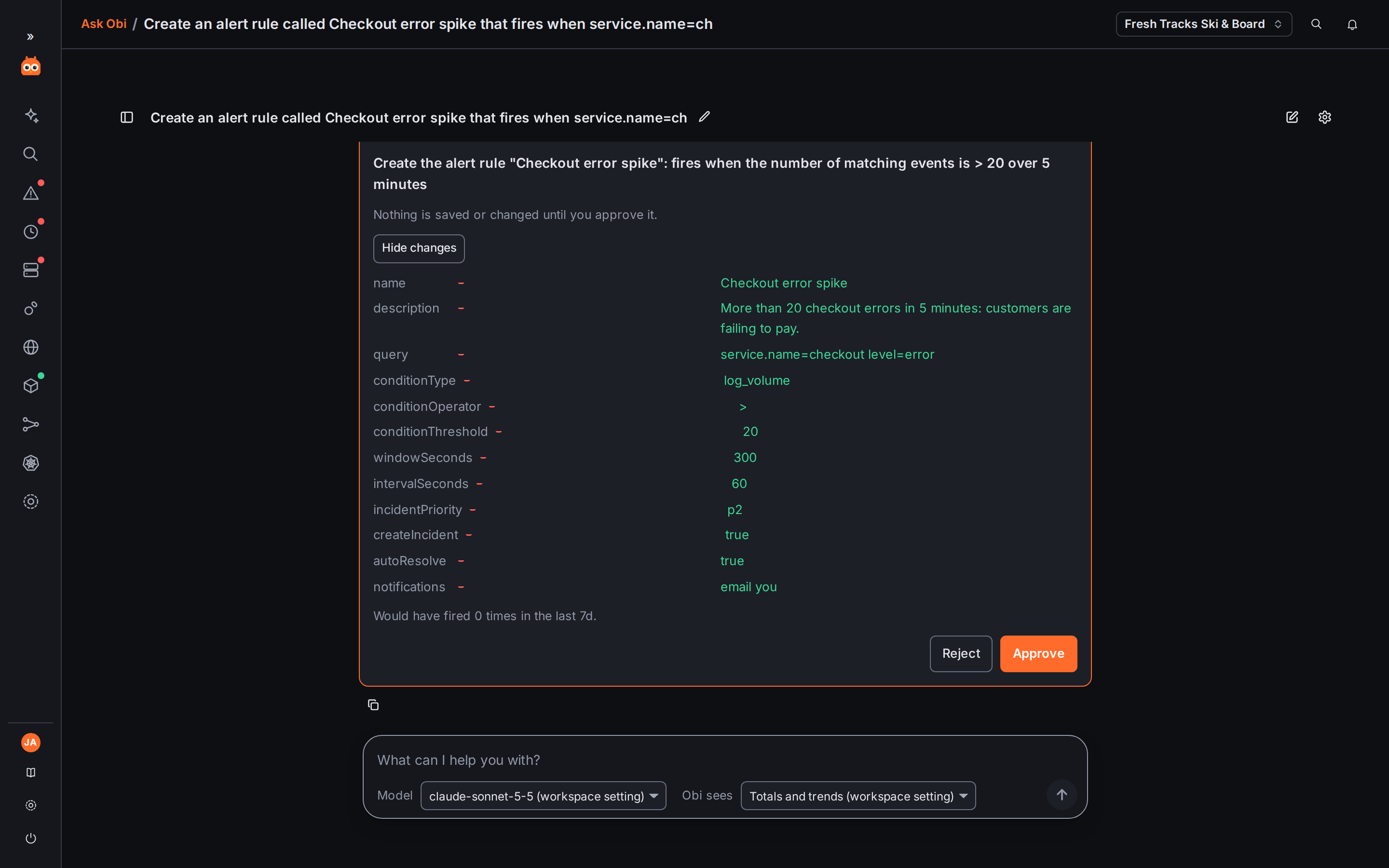
You approve every change
Obi drafts dashboards and alert rules as a card showing exactly what will change. Nothing happens until you approve it, and it can never delete anything or do more than your role allows.
Dashboards from a search
Run a search, click Generate dashboard, and see the panels live before you decide to keep them.
Agents on a schedule
Give Obi a standing job: a prompt it runs over a search every hour, day, or week, rating what it finds by severity and sending the answer by email, Slack, PagerDuty, or webhook. Every run is kept on the agent's page.
Acts in your own tools
Connect your task manager, ticketing system, or spreadsheets over MCP, and Obi can open the fix task or log the finding where your team works. Each tool runs without asking, asks first, or stays off, and an alert investigation can file its fix by itself.
You choose what leaves
Schema only, aggregates, or a few sample events: an Owner sets how much log data reaches the AI model, and each person can choose less.
Your own AI account
Bring an Anthropic or OpenAI key, stored encrypted, with monthly spending limits for the workspace and for each person.
On the record
With Activity & Security History on, every change Obi makes is recorded as the person who approved it, marked "via Obi". Conversations stay private to whoever had them.
The rest of the platform
Data Onboarding
Pick how you already send data, follow a few steps, and watch your first event land. Or write a script and we run it.
Data Onboarding in detailLog Explorer & Live Tail
Search everything you send us with ObiQL, then watch it happen live.
Log Explorer & Live Tail in detailAlerts & Incidents
Turn any saved query into an alert, and every alert into an incident with a history.
Alerts & Incidents in detailWar Rooms
A live, plain-language page about an incident for the people who do not read logs, kept up to date by Obi and your team.
War Rooms in detailDashboards
Grid dashboards as code, a freeform canvas, and a public link when you want one.
Dashboards in detailApplication Observability
The other two signals, correlated with the logs they came from.
Application Observability in detailHosts
CPU, memory, disk, and network for every server, plus hardening audits and vulnerability scans.
Hosts in detailLiveness Checks
Point a check at a URL. No key to generate, no code, no terminal command.
Liveness Checks in detailData Pipeline & Catalogue
Shape, enrich, and retain each stream on its own terms - before it costs you anything.
Data Pipeline & Catalogue in detailUser Analytics
What people do in your website and mobile apps - funnels, retention, and session replay, stored next to your logs.
User Analytics in detailCode Observability
Builds, vulnerabilities, and SBOMs from the CI you already run, tied to the code that is live.
Code Observability in detailAI Observability
Usage, cost, efficiency and quality for the language model calls and agents your own services run.
AI Observability in detailKubernetes Observability
Every cluster's nodes, workloads and pods, with their events, YAML and ready-made alerts, from one Helm command.
Kubernetes Observability in detail